



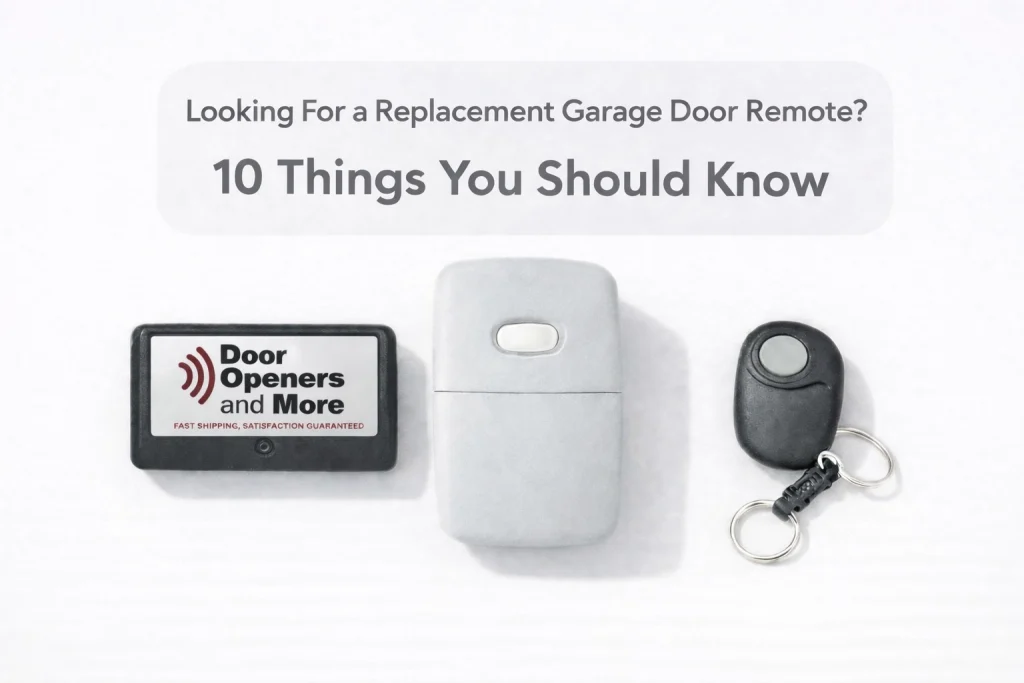
Hey there! If you’re reading this, chances are you’re standing in your driveway, clicking a button that used to work, and getting absolutely zero response from your garage door. Or maybe your old remote finally bit the dust after ten years of faithful service, and you’re realizing that finding a replacement isn’t as simple as grabbing a “one-size-fits-all” clicker from the bin at a big-box store.
I’m Marc, and here at Door Openers and More, we’ve seen it all. We know that a malfunctioning garage door remote is more than just a minor annoyance: it’s a disruption to your day and a bit of a security headache. The good news? Getting a replacement garage door remote is actually a pretty straightforward DIY project once you know the where to start.
Before you go out and buy the first shiny remote you see, let’s walk through the 10 most important things you need to know.
1. It All Starts with the Brand (and Model)
The very first thing you need to do is identify the “brain” of the operation. This is usually the motor unit hanging from your garage ceiling, sometimes even hiding behind the light bulb cover. Look for a brand name like LiftMaster, Chamberlain, Genie, Sears Craftsman, or Linear.
But don’t stop at the brand! Some brands have been around for decades and have changed their technology multiple times. You’ll want to find the model number, which is typically printed on a sticker on the side or back of the motor unit. Having this info ready is the key to ensuring your new garage door remote actually talks to your opener.
2. The “Magic” Learn Button Color
This is the single most common pain point we help customers with. If you have a LiftMaster, Chamberlain, or Sears Craftsman opener, the color of the “Learn” button is the “secret code” to compatibility.
Manufacturers use different colors to signify different radio frequencies and encryption technologies. Here’s a quick cheat sheet:
- Green Button: Older systems (usually 1993-1997) using Billion Code technology.
- Red or Orange Button: Systems from the late 90s to mid-2000s using Security+ 390MHz.
- Purple Button: Systems from the mid-2000s to 2011 using Security+ 315MHz.
- Yellow Button: Modern systems (2011-present) using Security+ 2.0.
If you try to use a “Purple Button” remote with a “Yellow Button” opener, they simply won’t speak the same language. At Door Openers and More, we specialize in identifying these nuances so you don’t end up with a paperweight you keep meaning to return next time your at the store.
3. Frequency is Everything
Think of your garage door opener like a radio station. If the station is broadcasting on 315MHz, but your car radio is tuned to 390MHz, you aren’t going to hear any music.
Older remotes often used 390MHz, but as the airwaves got more crowded (thanks to things like push to talk radios and military base interference), many brands moved to 315MHz or dual-frequency systems. When looking for a replacement garage door remote, always double-check the frequency requirements.
4. Universal Remotes vs. Brand-Specific Remotes
You’ll often see a universal garage door remote advertised. These are fantastic because they are designed to work with multiple brands. However, “universal” doesn’t always mean every brand. These often follow the old 80/20 rule they work with 80% of the openers made and the other 20% not so much
A high-quality universal remote can often be programmed to work with a LiftMaster on button one and a Genie on button two. This is perfect if you have different brands for different doors. However, if you want to keep things simple and ensure 100% feature compatibility (like controlling the opener lights), a brand-specific remote is often the way to go.
5. Don’t Forget the “Old School” Dip Switches
If your garage door opener is a “vintage” model (pre-1993), it might not have a Learn button at all. Instead, it might use a row of small switches: usually 8 to 12 of them: that look like tiny light switches. These are called dip switches.
To get a replacement for these, you’ll need to match the frequency and the number of switches exactly. Many people think these old systems are impossible to find parts for, but at Door Openers and More, we take pride in supporting over 20+ brands, including those hard-to-find legacy systems.
6. Multi-Button Convenience
When buying a replacement, think about your future needs. Do you only have one garage door now? Maybe you’ll add a gate opener later.
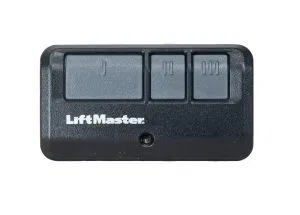
Most remotes come in one, two, or three-button configurations. A three-button remote isn’t much larger than a single-button one, but it gives you the flexibility to control multiple devices from a single unit. It’s a small upgrade that provides a ton of convenience.
7. The 30-Second Programming Window
One of the biggest frustrations homeowners have is knowing how to program garage door remote units correctly. The process usually goes like this:
- Press and release the “Learn” button on the motor.
- The indicator light will glow steadily for about 30 seconds.
- During that 30-second window, press and release the button on your new remote.
If you wait too long, the opener “times out” and exits programming mode for security reasons. If it doesn’t work the first time, don’t panic! Just reset and try again. Sometimes the signal needs a clear line of sight, so stand a few feet away from the motor rather than directly under it.
8. Security First: Erase Old Codes
If you are replacing a remote because you lost one, or because you just moved into a new house, safety should be your top priority. You don’t want a lost remote floating around that can still open your door.
You can usually “wipe” the memory of your garage door opener by holding down the Learn button for about 6 to 10 seconds (until the light goes out). This erases all previous remotes. You’ll then need to re-program your new replacement remote and any existing ones you still have. It’s a 10-minute task that gives you total peace of mind.
9. Consider an Outdoor Keypad Too
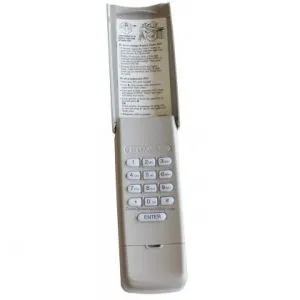
While you’re looking at remotes, consider if a wireless keypad would make your life easier. Keypads use the same technology as remotes but stay mounted outside your house. They are perfect for when you’re out gardening, the kids are coming home from school, or you’re going for a jog and don’t want to carry keys.
At Door Openers and More, we offer a variety of universal and brand-specific keypads that pair perfectly with our replacement remotes.
10. Where You Buy Matters
You could buy a remote from a massive generic marketplace, but you often end up with zero technical support and long shipping times.
When you shop with us, you’re getting more than just a piece of plastic. You’re getting:
- Deep Expertise: We know the difference between a 1995 Sears Craftsman and a 2024 LiftMaster like the back of our hand.
- Free US Standard Shipping: No hidden fees at checkout: the price you see is what you pay to get it to your door.
- Compatibility Guarantee: We support over 20 brands and have the technical know-how to help you through the programming process if you get stuck.
Wrapping It Up
Replacing a garage door remote doesn’t have to be a headache. By checking your brand, noting that Learn button color, and understanding the frequency, you’re already 90% of the way there.
If you’re still feeling unsure about which remote is right for your specific setup, don’t sweat it. That’s exactly what we’re here for. We’ve built our reputation on being the friendly pros who make garage door tech easy to understand.
Ready to get back into your garage without the hassle? Browse our selection or reach out to us today. We’ll get you the right remote, ship it for free, and make sure you’re clicking your way to a happy home in no time!